Day to day
The method comes down to four habits. The app is designed so that each one is a single tap.
1. Start with the next session
The Today tab shows Up next — the first session of the day not yet done — with the concrete activity ("Mixed loop exercises without looking anything up"). Start focus picks the subject, starts the timer and opens focus mode.
Alerts appear above it when needed:
| Alert | When |
|---|---|
| 🟥 Tomorrow: X exam | The day before — today only retrieval and review, no new material, and a good night's sleep |
| 🟨 X: exam in N days | Final week — that subject jumps to the front; shortcut to a closed-book test |
| 🟥 X: failed in the regular period | The resit date is missing from the degree record |
2. Attempt before you see the answer
During the block, work from memory: solve, answer, explain — and only then check. On paper, if the exam is on paper.
At the end of the block (5 minutes or more), the app asks:
- What did you do? — New material (first exposure: it counts, but not towards mastery) or Exercises / retrieval.
- How many did you attempt? — a blank exercise counts as attempted and wrong.
- How sure are you? (1–4) — before you mark.
- Did you use AI, notes or worked examples?
- Confirm and go mark — your confidence is locked. Only now do you enter how many you got right.
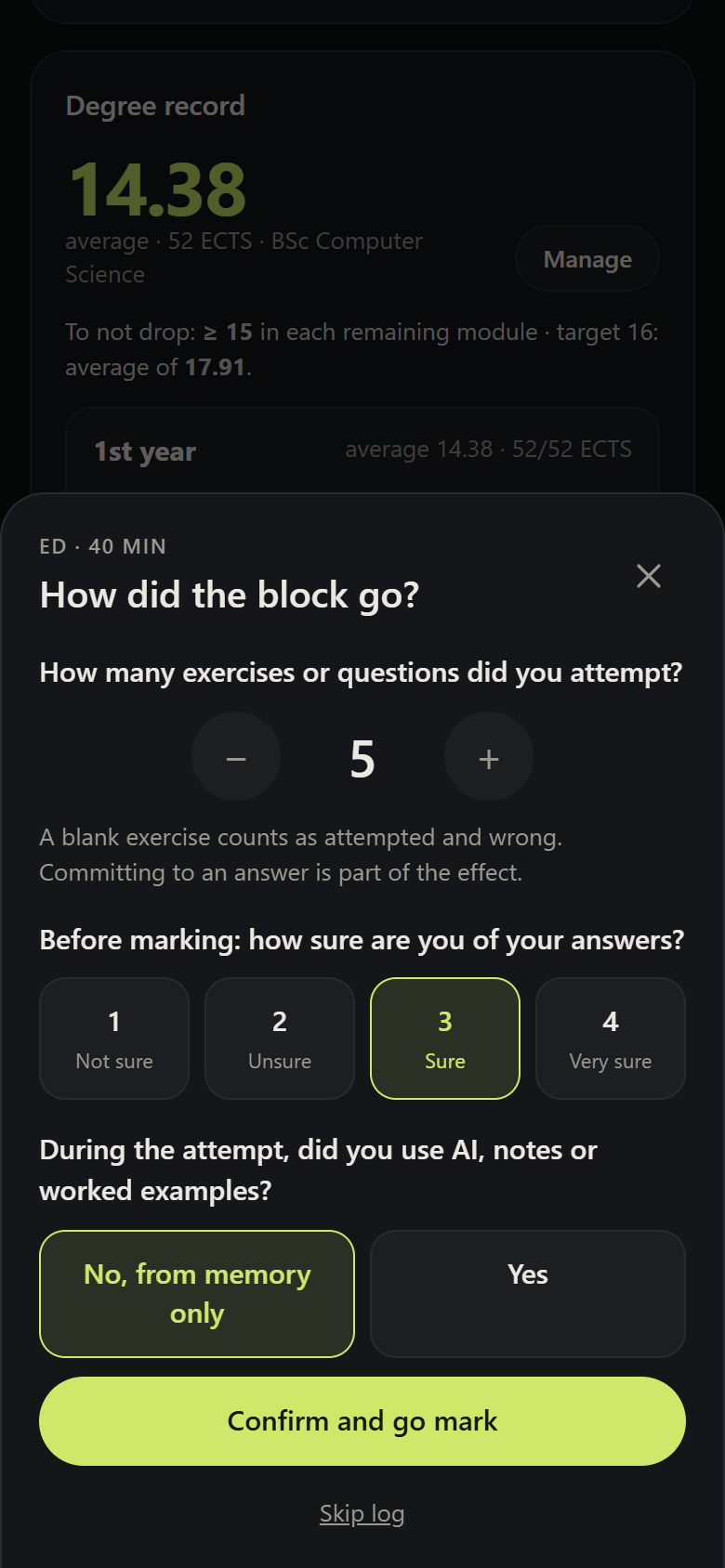
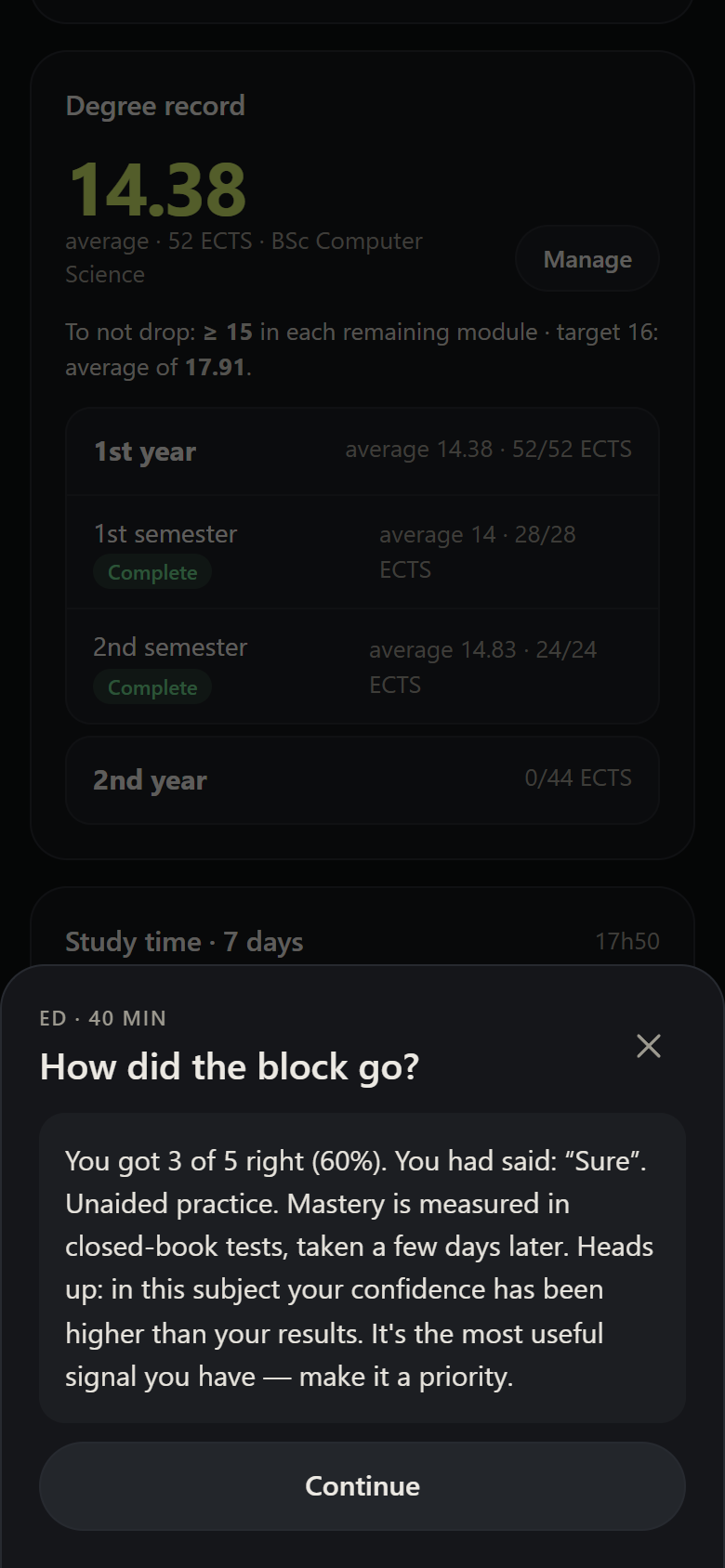
The order is the point: a confidence rating given after seeing the answers measures nothing. See Block log.
Got the number attempted wrong? After Confirm and go mark you can still fix it, next to the correct count. And any log from the last 14 days can be fixed (attempted, correct, note) or deleted under Progress → Recent logs → Fix. Confidence and help never change: they were given before you saw the answers.
3. One closed-book test per week, per subject
In Progress → Closed-book test: you choose the subject and the time (15–45 min) and do, on paper and without notes, exercises you have not solved in the last 7 days, mixing topics. It's the only source of your mastery.
- No past exams? Keep a few exercises from each problem sheet just for this.
- Starting from zero? That's normal — the test only covers the material you've already studied.
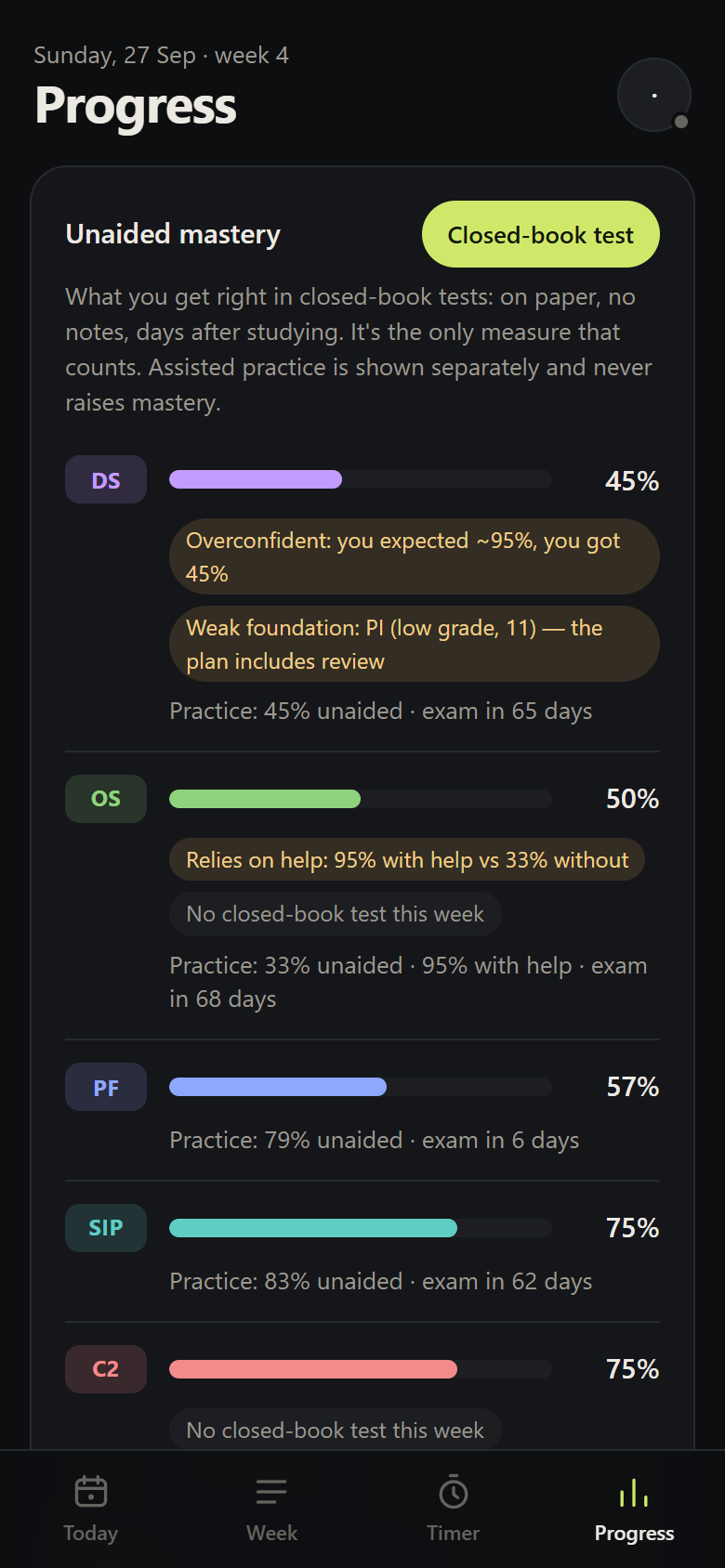
4. Read Progress in the right order
Progress sorts subjects like this:
- Overconfidence — you expected to get more right than you did. It's the most useful signal you have.
- Lowest measured mastery.
- No test yet, by nearest exam date.
It also flags relies on help (much better with help than unaided, and help used most of the time) and weak foundation (a prerequisite not yet taken, failed or graded below 12 out of 20).
5. When the day doesn't go to plan
The plan is a guide, not a contract. Three tools on the Today screen fit it to reality without changing the weekly plan:
- + Log study — for study you did without the timer (an afternoon catching up, a library session). You give the subject, the time (“from 17:20 to 19:45” or in minutes), what you did (new material, exercises or review) and, if you like, the exercises attempted and correct and a note. It counts towards time, your streak and the balance between subjects; if a session of that subject was due today, it can count as done. Confidence isn't asked — after checking the answers it no longer measures anything — and mastery still comes only from closed-book tests. The Topic (optional) marks what you studied within the subject — "5 h of Data Structures, topic OOP" — and Progress shows the time per topic over the last 30 days; you can also add it later, under Fix.
- Postpone (⏭ next to each session still to do) — moves that session to another day this week, or marks it “not this week”. Only that occurrence changes; the weekly plan stays the same. Postponed sessions show up on their new day (“moved from Tue 29”), and you can undo.
- Behind on classes (in Progress, on each subject) — marks a subject with classes still to study, with an optional note (“classes 3 to 5”). While it's marked, it gets more time in the allocation, shows up on Today as a priority and the AI takes it into account when you generate the plan. Once you've caught up, clear it (you can also do that when logging study).
The Week tab shows how the week actually went: sessions done, postponed, skipped and the ones left undone.
What about time?
It's there — minutes per day and per subject, day streaks — but in the background. Time is what you put in; mastery is what you learn. The app won't let you confuse the two.